
As a continuation of my journey into Scala, I decided to create something I have longed for - my personal WebChat pet project. This project was created for learning and demonstrational purposes. Nevertheless, it is a true chat with user authentication, multi-participant chat room management, and real-time messaging implemented with WebSockets. All containerized with Docker for easy deployment and local start.
In this article, I will show you a demo of how it looks. Please sit comfortably and enjoy.
Tech Stack
- Backend: Scala with Play Framework, Slick
- Frontend: React
- Database: MySQL
- Real-time Communication: WebSockets
- Authentication: JWT (JSON Web Tokens)
- Containerization: Docker
Running the Application
First of all, let’s start our application. Once you clone the repository, you can easily start WebChat using Docker with a single command! Here’s how to get started:
Prerequisites
- You need to have Docker installed on your machine
Steps
- Clone the repository:
1 2
git clone https://github.com/bohdanmartines/webchat.git cd webchat - Start the application using Docker Compose:
1
docker-compose up
- Access the application:
- Frontend: http://localhost:5173
- Backend API: http://localhost:9000
- To stop the application:
1
docker-compose down
Features
User Authentication
The application implements secure user authentication using JWT tokens with a one-hour lifetime.
Registration:
Users can create an account by providing username and password. For simplicity, email and password confirmation are omitted.
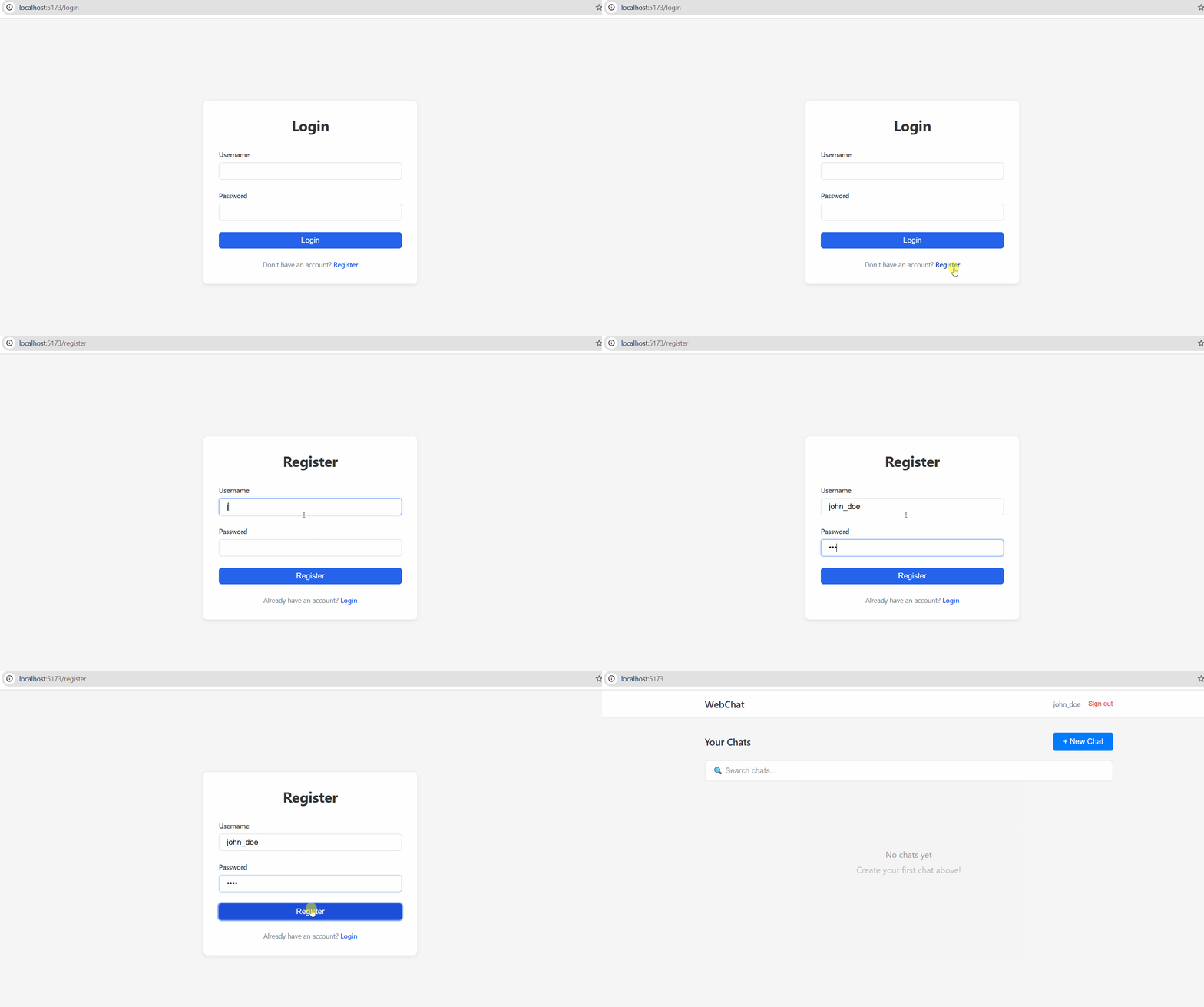
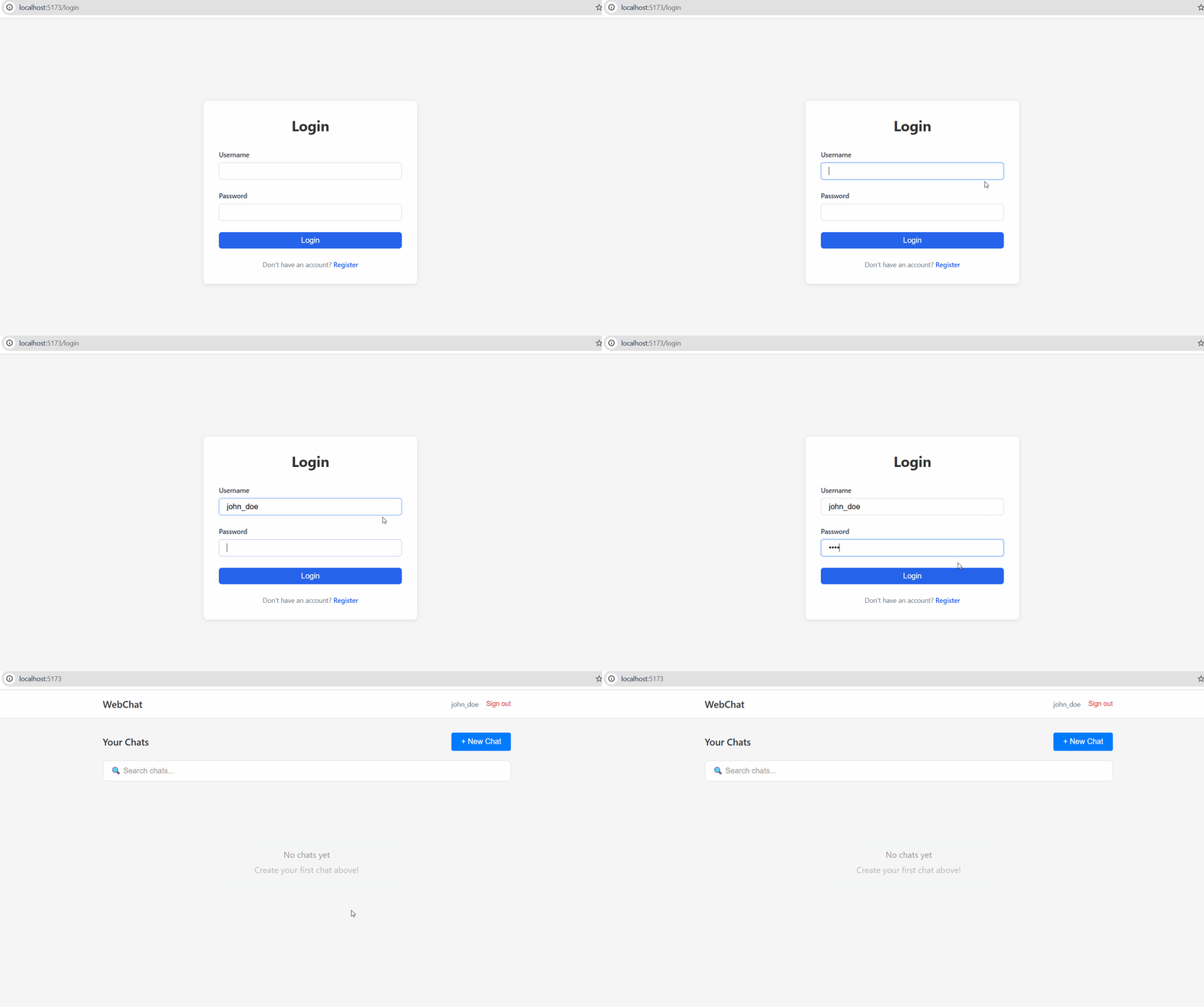
Login:
Authenticated users receive a JWT access token that’s used for all subsequent API requests.
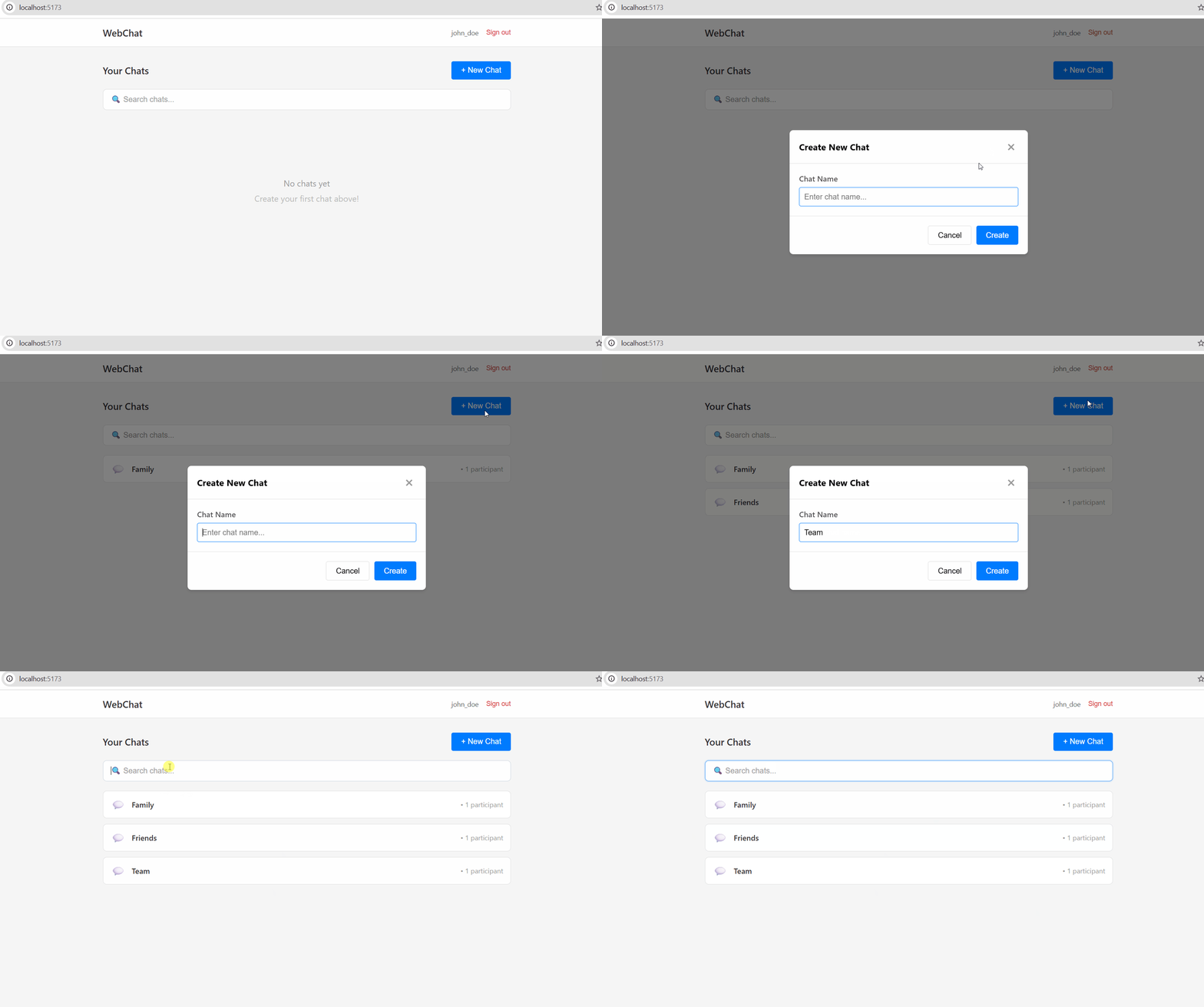
Chat Management
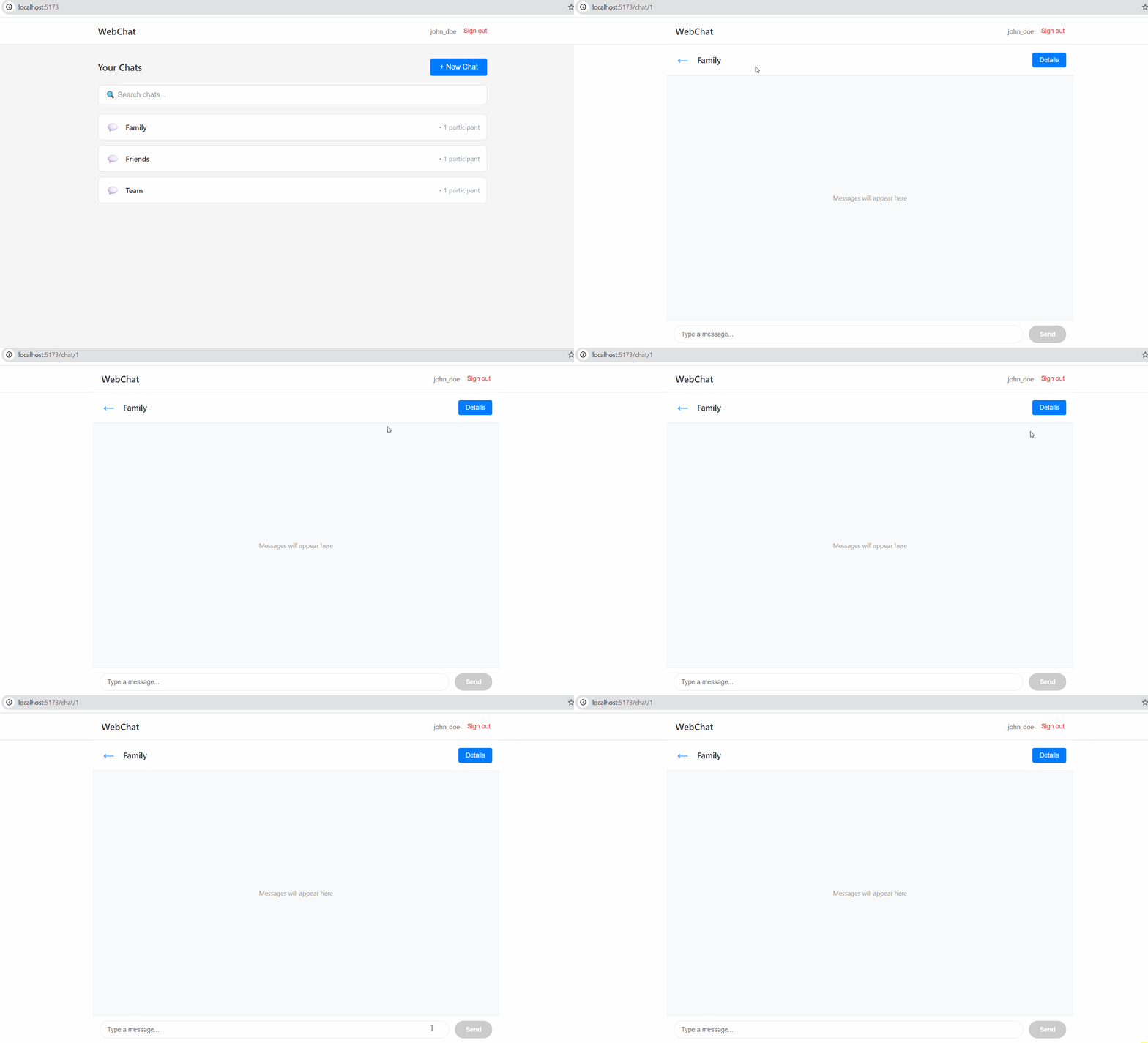
Once the user logged in, they can see the list of their chats, add new ones, and filter chats by name. Let’s see this in action in the demo below.
Now let’s select one of the chats. We can see the chat name, Details button, and the elements to view and type messages. As of now, there are no messages yet in this chat.
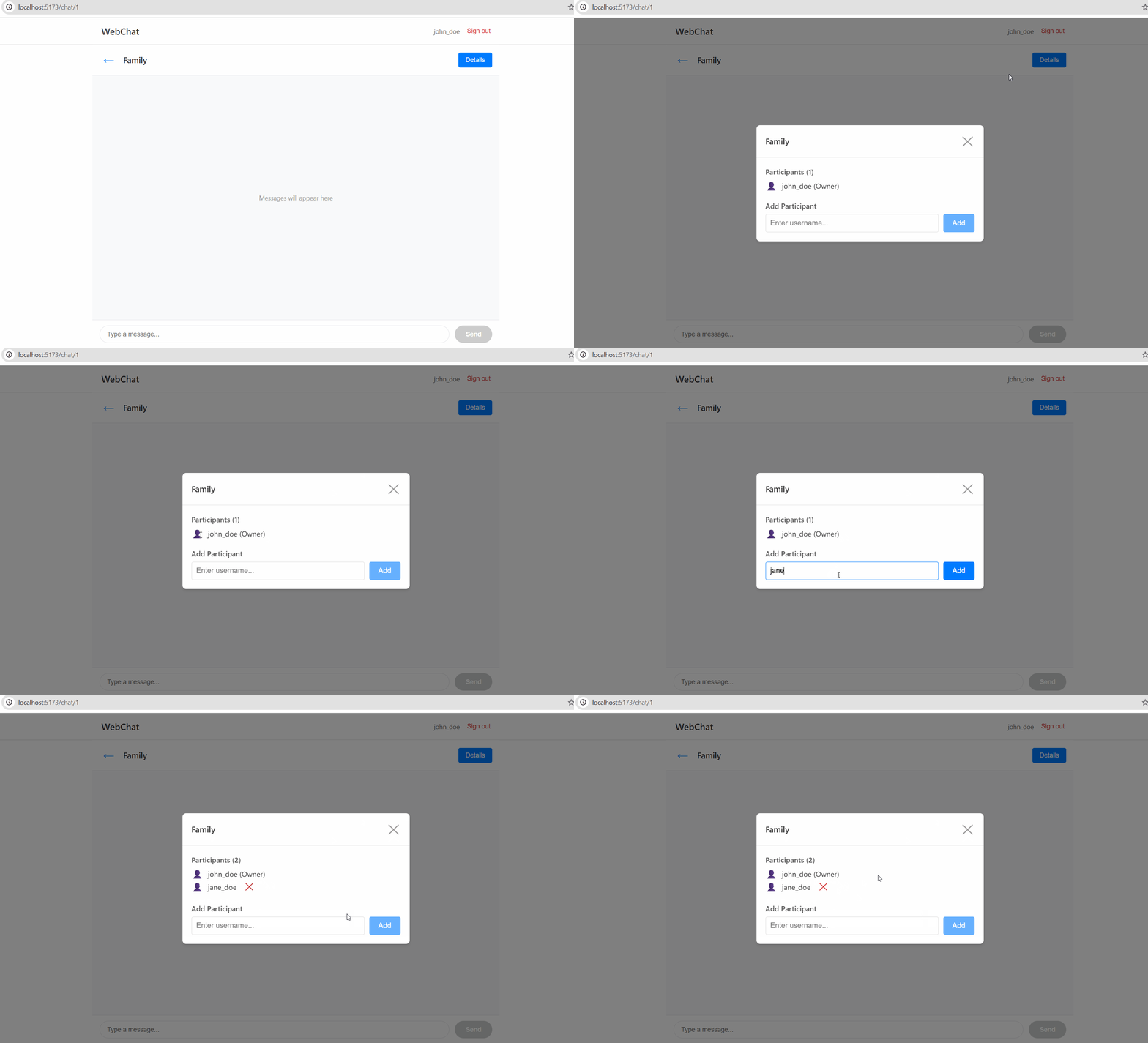
Next, let’s click on Details button. The popup with chat information is opened, where we can see the list of users in the chat. The chat owner can add and delete participants. By design, the person who adds other users to the chat must know their username. Let’s add jane_doe!
Real-Time Messaging
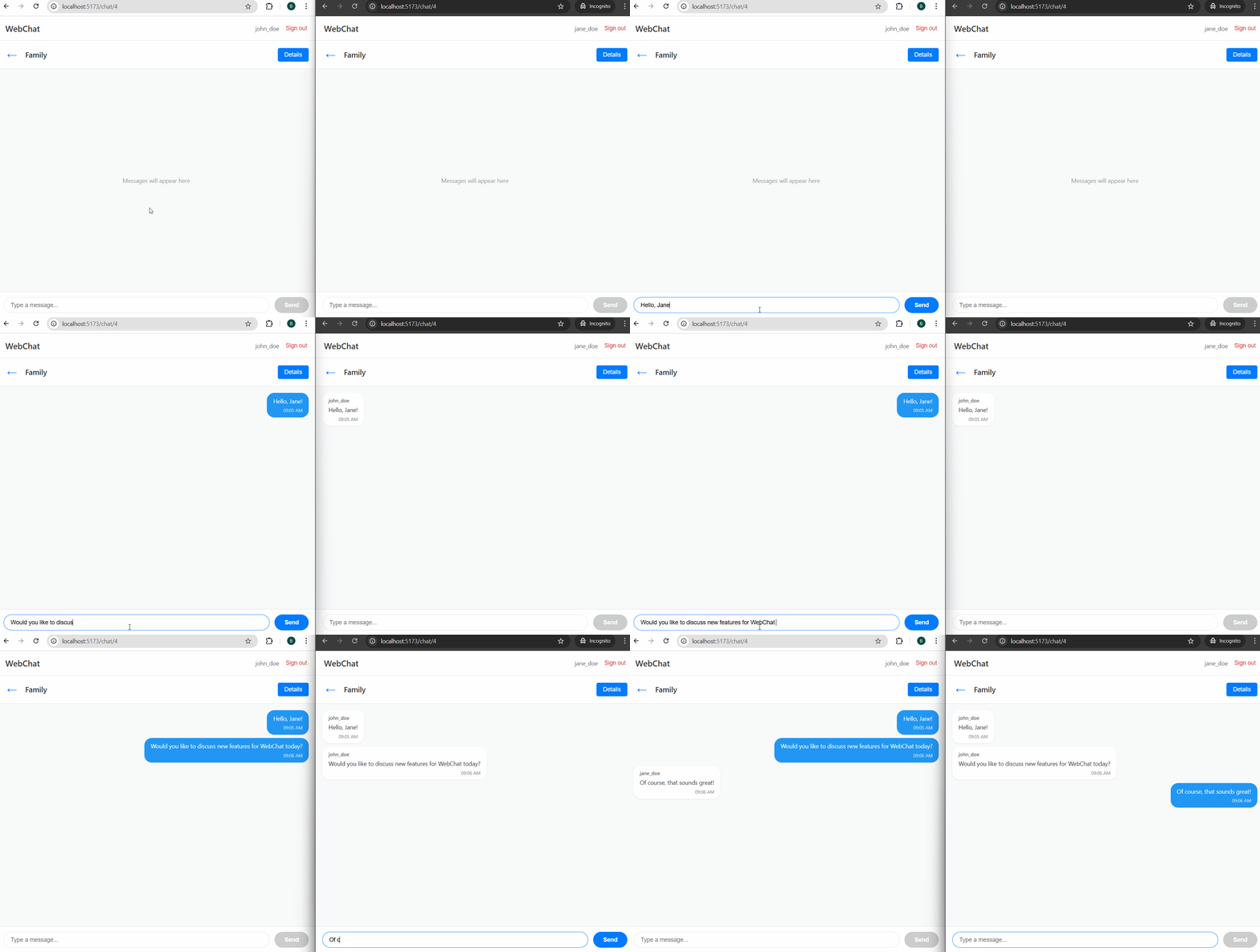
By this time, our chat has other people in it, and is fully ready to start messaging in real-time. Let’s open two browser instances alongside and write a couple of messages to each other. The recording below demonstrates this feature.
Development Journey
This project was developed iteratively over four main phases:
- Authentication Layer - Implemented JWT-based authentication with access tokens
- Frontend Foundation - Built registration, login, and home page interfaces
- Chat Creation - Added backend and frontend support for creating and managing chats
- Real-Time Messaging - Integrated WebSockets for live message exchange
Future Enhancements
As next steps, we can consider these improvements to make this application more ready for real life:
- Refresh tokens for better session management
- Chat join/leave notifications (when users are added or removed from the chat)
- File/image sharing in chats
Conclusion
I am really happy to have this project in my portfolio. It gave me a dive into Scala and WebSocket, which expands my knowledge of development with JVM-based languages. There is always something interesting to learn out there. See you next time and happy coding!